Make an SHS lesson note
For a Senior High School class, teache writes the week as a Weekly Learning Planner, from the SHS curriculum's content standards, learning outcomes and learning indicators.
What is different at SHS
The steps follow Create your first lesson note. Three things change for an SHS class. The year runs in semesters, not terms. You pick learning indicators, each tied to its content standard. And the printed note is laid out as a Weekly Learning Planner.
You need one SHS class added, with its subject and form, for example Biology, SHS 2. See Set up your classes and subjects.
1. Start a note and choose the class
Click New, then Lesson note. Under Which class? choose your SHS class.
2. Set when you teach it
The first time, teache asks When do you teach this class? Tick each day you have the class, then type the period and how many minutes the lesson runs. Use + for a second lesson on the same day. You set this once; later notes for the class use it for the whole semester.
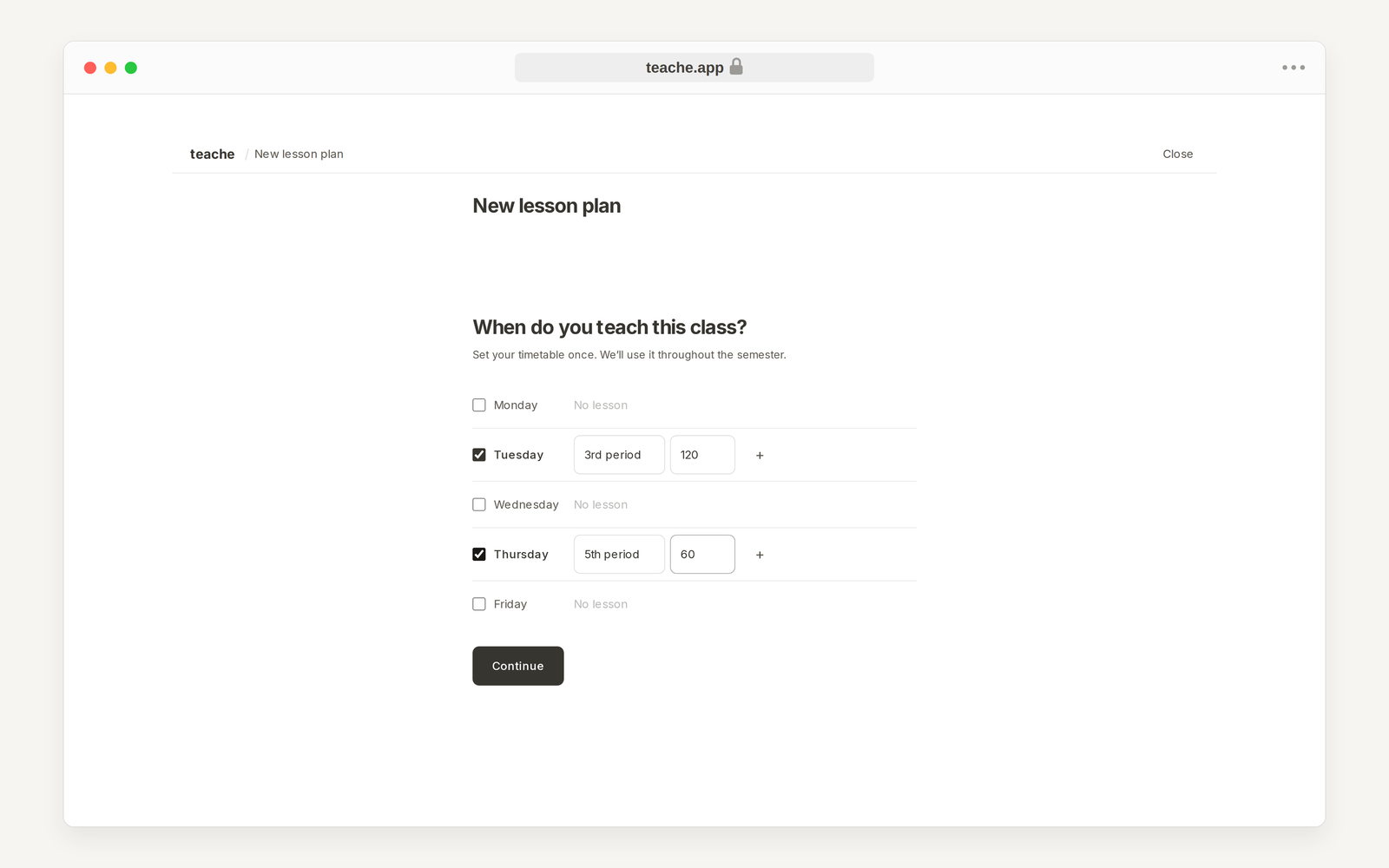
3. Pick what you are teaching
Click Choose from curriculum. Open a strand, then a sub-strand, and tick the learning indicators for the week. Each one shows its code and its content standard, such as 2.3.2.LI.1 (CS.1). Click Use 2 indicators (the number follows what you ticked).
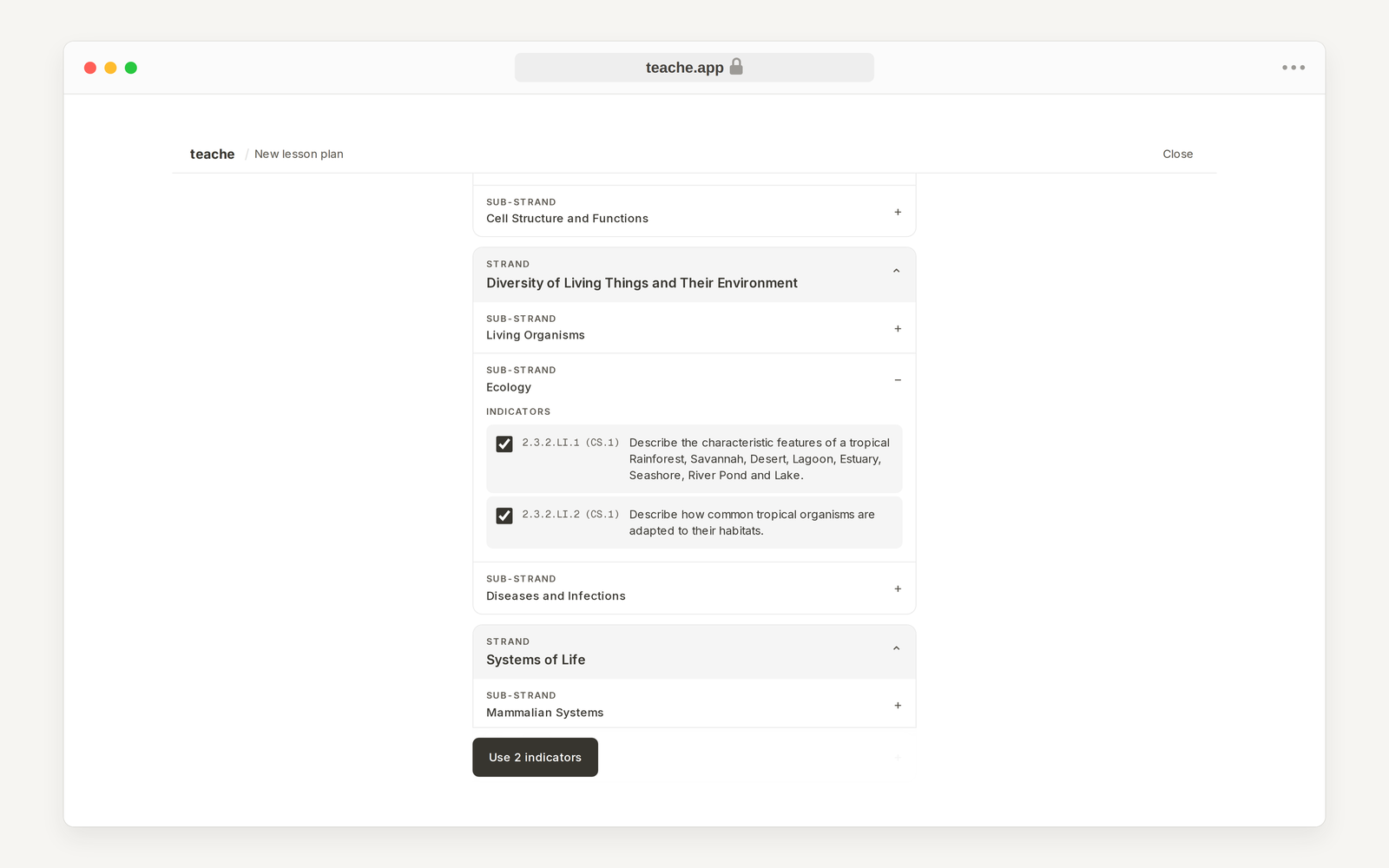
4. Check each lesson
teache shares the indicators across your lessons for the week. Under What will each lesson cover? change any lesson that does not fit, or use Add lesson, then click Continue.
Add extra guidance? is optional. Type anything the note should use, such as local examples or what your learners find hard, or upload a photo of your own notes. Otherwise click Skip.
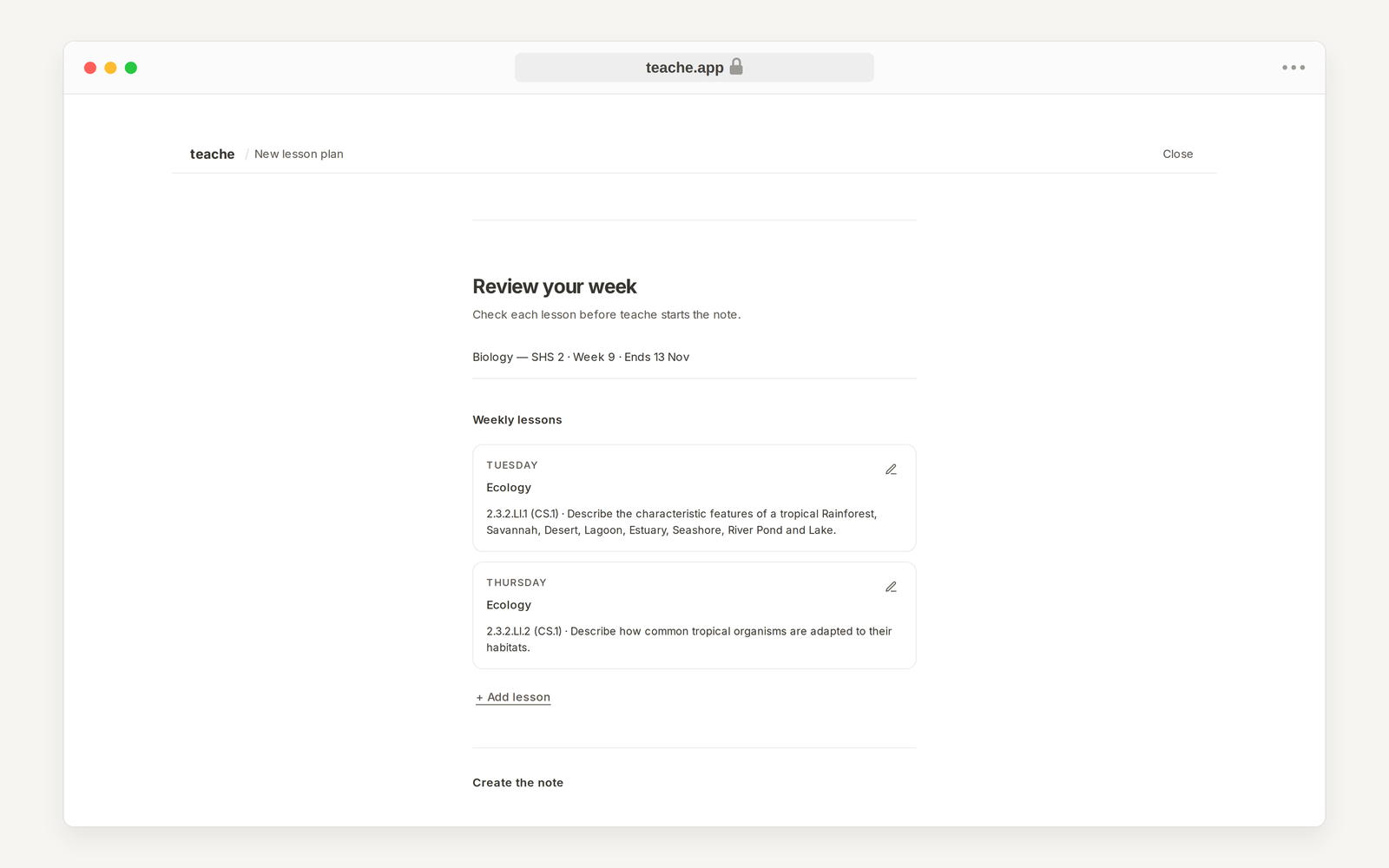
5. Create the note
Under Review your week, check the class, the week and the lessons. Then click Generate the note for the full draft, or Build it with me to go section by section.
The finished note opens with Week planning: the content standard and learning outcome, essential questions, pedagogical strategies, and teaching and learning resources. The lessons follow. Click any part to edit it.
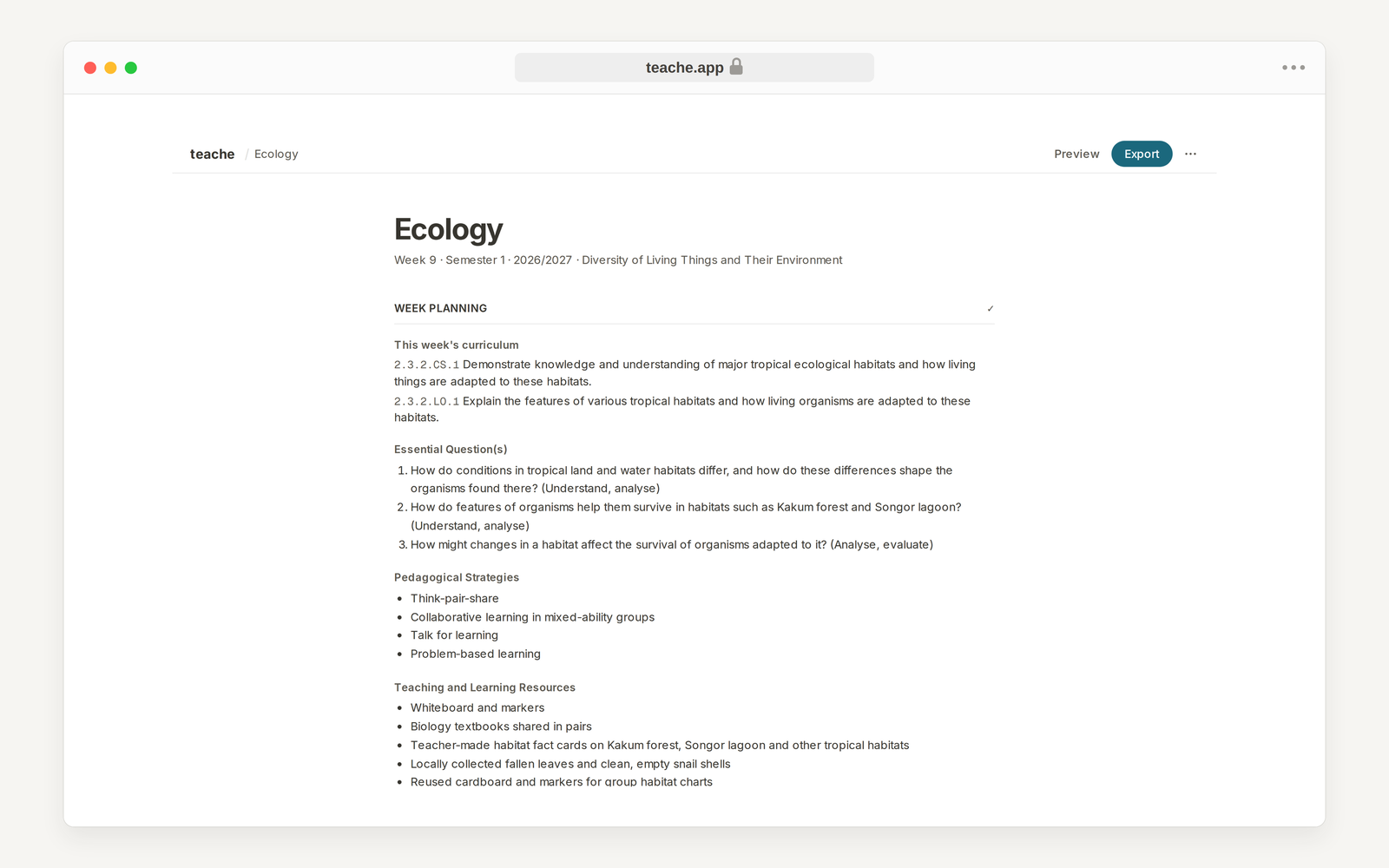
6. Preview and print
Click Preview to see the Weekly Learning Planner as it prints, with your school, form, semester, week ending and lesson durations in the header. Export gives you Download .docx, Download .pdf and Print.
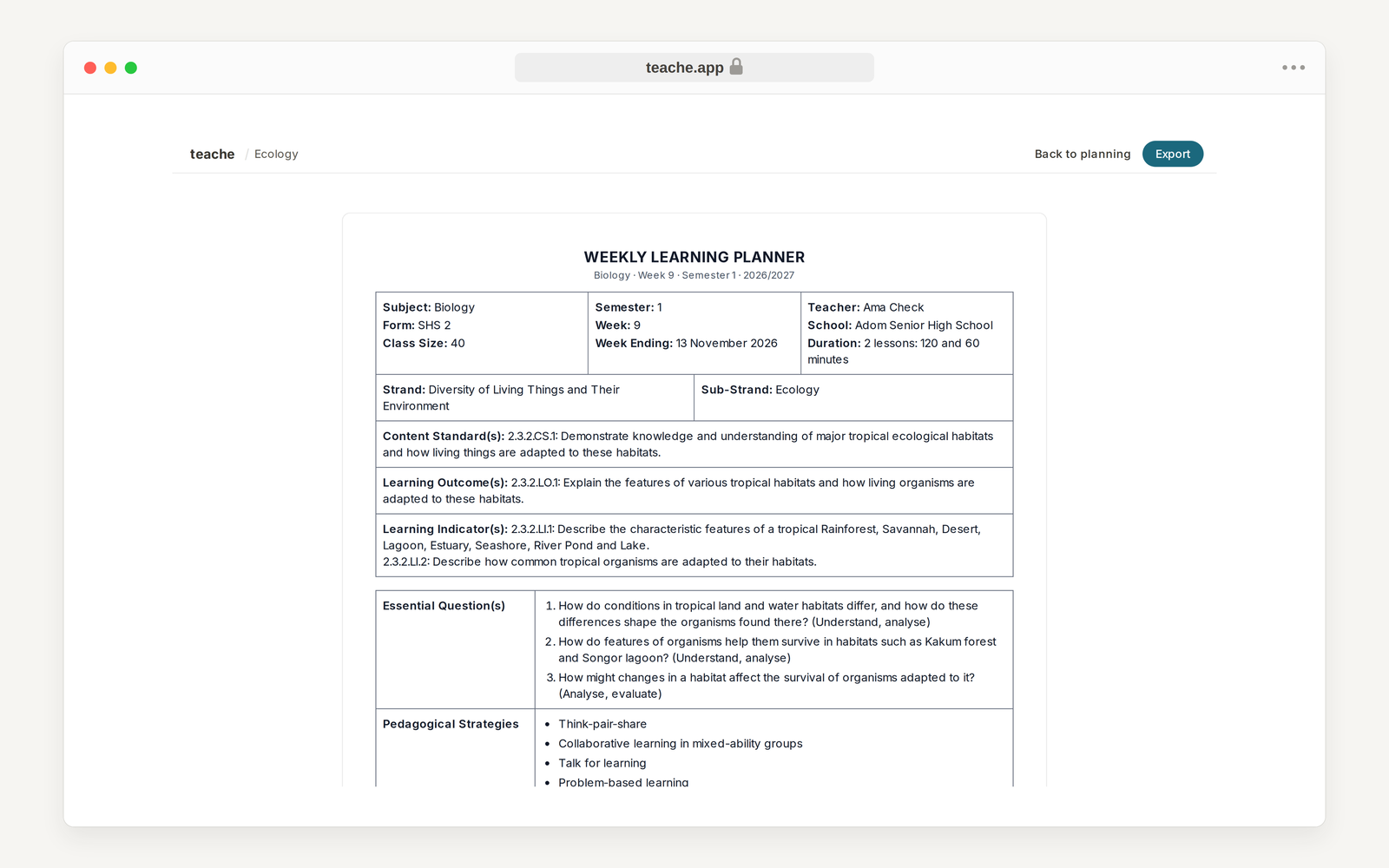
If the school name or class size is wrong on the sheet, fix it under Settings or Classes, then preview again.
In the mobile app
The questions are the same and come in the same order. Tap the New button on Home, then Lesson note. The app always writes the full note; Build it with me is on the website only.
Next in Lesson notes: Start from a photo or a scheme