Understand credits
Credits are spent when teache generates a document. Everything after that, reading it, editing it, printing it, is free.
What each document costs
A credit is spent per document, not per page and not per lesson. This is the whole price list:
- Lesson note: 3 credits for a whole week, every period on it.
- Scheme of work: 12 credits for one class, a whole academic year.
- Practice test: from 10 credits for one short sheet with its answer key. These go up with the number of questions you ask for, so a longer paper costs more than a short one. You are shown the exact price before you generate anything.
- Class test: from 10 credits for a longer test over the lessons you have taught, with its answer key. These go up with the number of questions you ask for, so a longer paper costs more than a short one. You are shown the exact price before you generate anything.
What is not on sale yet
Term exams and marking schemes are not available yet. You cannot generate one and you cannot be charged for one. When they open, they will be priced per document like the rest:
- Term exam: 20 credits.
- Marking scheme: 6 credits.
The lesson note is the one worth reading twice. A GES lesson note is a week of periods on one document, so 3 credits covers the Monday, the Wednesday and the Friday together, not each of them.
Editing a lesson note never costs again
Once a lesson note has been generated, it is paid for. You can rewrite a block by hand, or tell the AI to change it, and ask again, and keep asking. None of that charges you a second time. The charge is tied to the note itself, so it can only happen once.
A scheme of work works differently, because generating one rebuilds the whole year. Editing the scheme you have is free, but asking teache to generate the scheme again is a new document and is charged again.
A failed generation is free
teache charges after a generation succeeds, never before it starts. If a draft fails partway, or the connection drops, your balance is untouched and you can try again.
What you start with
New accounts get 30 credits, once. That is 10 weeks of lesson notes, or a scheme of work for a whole year with 6 weeks of notes left over.
On top of that you get 5 free credits every month. Unused monthly credits add up rather than resetting, and stop accumulating at 15. Your joining credits are never touched by that limit, and neither are credits you buy, which never expire.
Check your balance
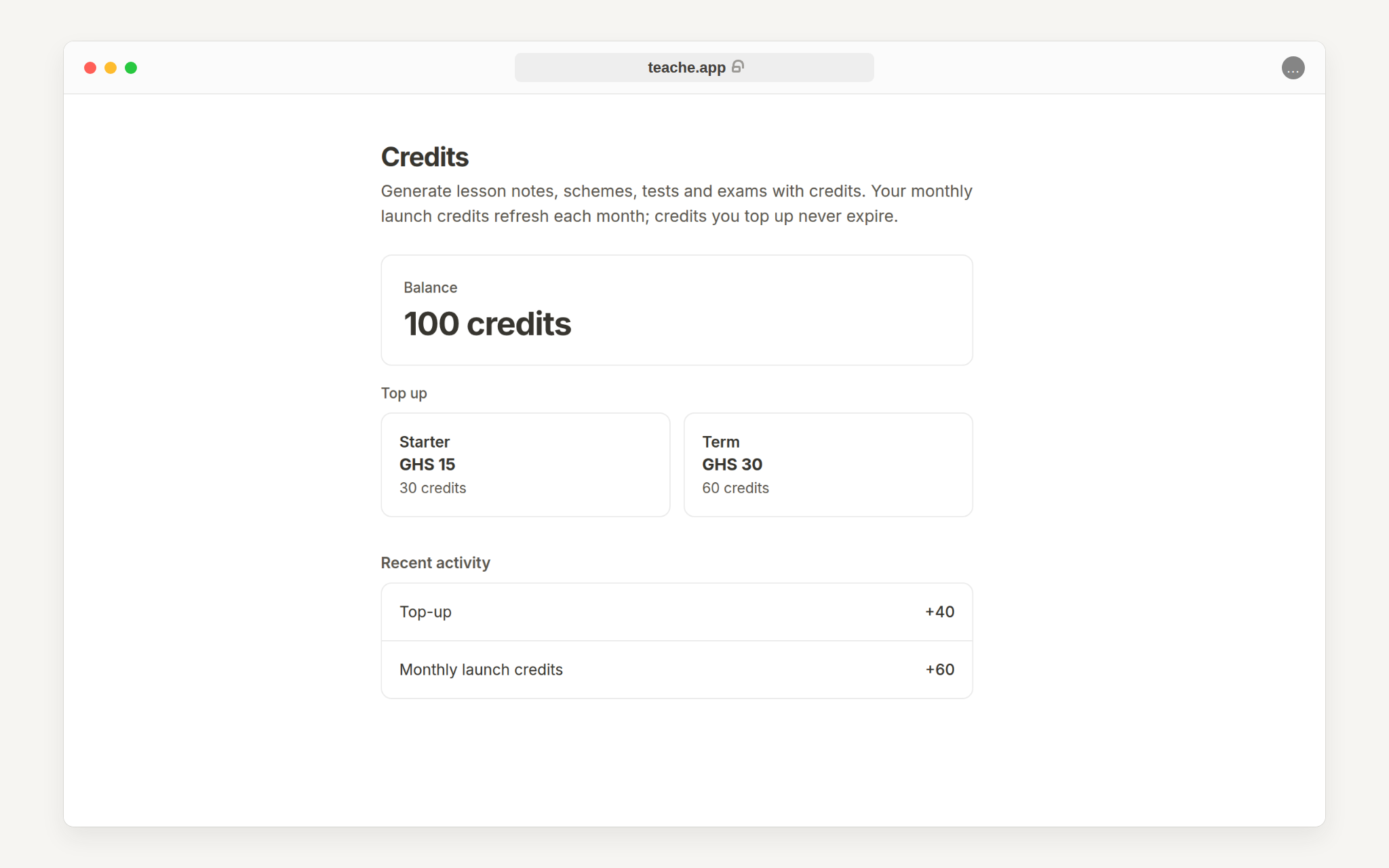
Click your name at the bottom of the sidebar and choose Billing & credits. The balance card shows what is available now, and the recent activity list below it shows where it went: your welcome and monthly free credits, any top-ups and each document you generated. Use it when you want to understand why the balance changed.
On a phone, tap teache at the top left to open the menu and find Billing & credits there. There is no sidebar on a small screen.
Top up when needed
If the balance is low, buy a pack before starting a document that needs generating. The Starter pack is 30 credits for GHS 20. Credits you buy never expire and are not affected by the monthly cap.
For the document that uses the most at once, read create a scheme of work.